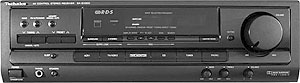
After starting receiving overload messages when cranking volume up, I opened it up and saw pristine electronic elements performing without glitch.
Although not opened or cleaned for 11 years:
- there was very little dust inside
- capacitors cool after hours of work, original shape, no distortions
- cooling fan noiselessly gets on and off, depending on internal case temperature
- huge cooler in the middle of the case was not overheating, just felt warm
- all soldering intact, connectors firm


Pulling every individual speaker connection in & out, making sure that it felt connected, I restored firm connection, and receiver started blasting without overload interruptions.
I feel that receiver's back panel is the only weak spot of this piece of art.
Never paying to much attention on speaker cables, I used most common ones, twisting their connector end with hand, without soldering them. Inevitably, they lose their grip in time, and cause overload when system draws maximum output power.
In my case, that is 5x100w.
The two front speakers, two surround and one passive sub-woofer, each bearing power of 100W.
Update 2 months later:
After performing fantastic for awhile, it went back to the original state.
If volume is left on maximum, when unit is powered, starts to choke right away.
Than, after 4-5 minutes, an error goes away, but the receiver must not be used at 100%.
At this point, I think that the problem is in wires I use to connect speakers with the receiver.
They are of lowest quality. However, the price difference is substantial, so I will give another update when I manage to buy the grounded, shielded speakers' wires.
Update:
It's not the wires. The receiver goes to error without wires connected, so it's logical that the speaker's wires have nothing to do with the problem.
Update Aug2011
I have notices that after disconnecting all the speaker wires from the back of the receiver, and then a couple of hours later connecting them back, the sound system works on loudest without a glitch, and not reporting error for a couple of weeks.
The bass sound , even without the amplifier, is especially impressive.
Then it is back all over again. I am still dwelling on buying expensive shielded audio cables.
Update Sept2011
Still doing unplug-connect back trick.
Update Nov2012
Disconnected the unit and hoping to find some cash to have it repaired by a professional.
Update April2013
Gave it to an experienced electronics repairman, he claimed that output amplifier passed the test, and suspect that a CPU is to blame. Which in this case translates to "dump the thing". I am not giving up yet.
Update January2015.
Gave up on it and bought another used unit online (somewhat better version - SA EX510).
If not permanently cooled with external cooling fans, audio gets interrupted with the same message again. At this time, I am fairly convinced that the all Technics receivers from that era have serious cooling issues.


Greetings,
ReplyDeleteAre you still trying to troubleshoot this receiver. I have the same overload issue with my techics (not at home so I don't know the model number).
I brought it to a technician buddy of mine who of course did not experience the over load issue and was therefore unable to troubleshoot.
In any case, thanks for the blog. I'm going to experiment with my own speaker wiring to see if I might have similar, if only partial, luck. I'll try anything before I replace it.
Let me know if you'd like me to keep you posted.
Vince
Of course, keep posting, keep me informed.
DeleteAs for me, I have grown tired of partial and temporary solutions, and disconnected the thing. When I get some spare money, I will take it for repair to a professional. For some reason, I am convinced that the overload is caused by a single component inside, like capacitor or transistor. My receiver has been used extensively and to the max over the years, and that kind of abuse had to cost me something. However, I will not scrape this exceptional piece of equipment, I am too attached to it.
Hi all, I had the same overload issue with a couple of my Technics sa-ex systems and found it to be the blue rectangular relays, as for overheating issues could be fan not working or wrong ohm speakers! Hope this was helpful
DeleteHello.
ReplyDeleteI happened to stumble on this page while searching for a similar solution.
I've heard also that the fan connections sometimes stretch and need maintenance?
I don't think so. The thing is well made. I might have a solution soon. A buddy of mine seems to be convinced it's the output amplifier fault. I will keep you posted on what components exactly.
DeleteThanks for all the ideas. I have never tried to fix any electronics but I'm going to open the thing and try everything you have posted. Thanks again and please keep updating. I have the EUR646489 model.
DeleteIncidentally my EX300 goes to overload when it's not even quarter of the way round the volume? And happens when there is no music playing too? This is confusing to me. I don't want to replace it either. I was considering stripping it down and reassembling it and maybe put some fresh heatsink compound on the output ICs. I should add that I've not seen the fan work at all? The heatsink does get quite warm but wouldn't say hot. I managed to download a free copy of the complete service manual and it shows that the overload message is produced by the IC901 located on the front panel. I suspect that may be the culprit but have no replacement to test this theory. I have to say I was surprised at the connection this circuit has to the main board, definate place where oxidisation could occur. I'd really appreciate it if you do manage to source the problem so I can resume normal operation. I've never really pushed this Amp to its full potential so I'm confused why it should happen.
DeleteI hope to hear from you soon as it's rather annoying as I don't have another amp to put in it's place while troubleshooting.
Hi there, throw me a link to that service manual, will you?
ReplyDeleteI suppose it would be prudent to see if IC901 could be purchased somewhere and replace the original with it. I think you can safely forget the notion that overheat is the problem. My unit goes to error mode straight away, with no time for any of the board elements to heat up. The cooling fan is noiseless, and works great too. It is controlled very well, and engages only when activated by temperature sensor.
I can't remember where I got the manual from but I can certainly send you it direct if you can advise where ?
ReplyDeleteJust found the link after a bit of a history search lol
ReplyDeletehttp://elektrotanya.com/technics_sa_ex300_e_eb_eg_sm.pdf/download.html
Hope this helps you , and obviously me too (",)
I'm working on a similar amplifier. If you're close-by maybe I can help?
ReplyDeleteClose by with solution or close by geographically?
DeleteI am in Croatia, Europe.
It seems that the next step for me is to find out if motherboard IC chip can be replaced, and if replacement can be found anywhere, since it is an obsolete part.
This blog shows up (to me) as a .ca site so I thought you were in Canada. My mistake!
DeleteAnyway, I'm very sure the IC you mention is not the problem. You will likely need to find an electronic technician (AKA 'The Wizard') who can help you troubleshoot and repair this issue. A professional service would like cost much more than a new amplifier. There are many common issues that show up in this type of equipment and most are heat/age related.
If you think I can assist from here let me know.
Those are my thoughts too. The cost of repair would top the price of a new, improved unit. That is why I am dancing around this issue for years now. If there is no quick fix for it, it is not cost efficient to bather with it. What surprises me is the number of people with the same issue, and the fact that I could not find the single one who had solved it.
DeleteYes, these problems are very common and sometimes they are relatively easy to fix. Many who are able to are also charging for their work so are less likely to spend time explaining and posting about it. There are plenty of resources available to learn about electronic repair and if you spend enough time working on it you'll figure it out.
ReplyDeleteWell yesterday I decided to strip my amp down and give it a thorough clean again. I took the back plate off completely and removed the tuner block and phono input card. I ensured all dust etc was removed from all. I paid attention to the speaker outputs making sure they were clean. Then I also removed the front fascia complete. Then before I reassembled it again I had a look at the contacts on the pront panel where they meet the main board and they looked a little oxidised so I gave each of the connections a couple of short squirts with some Servisol Switch Cleaner.
ReplyDeleteWhen I put it back together I tested it on a moderate level of volume as it was 11pm by that time. It didn't give me the error at all all night. I've used it today and still no error message yet. I haven't put the volume up very high yet but I may do this evening. I will let you know if it cuts out on me.
If it happens again then you'll want to check the circuit boards (main & inputs) for any bad looking solder joints. Reflowing might be all that is required.
ReplyDeleteYeah I've done a check for dry solder but it seems to be fine in that respect. I've had experience in the past of what dry solder can do to electrical equipment, can be all manner of strange and unusual symptoms.
DeleteI had a couple of "healed" symptoms after a long rest period, but it went back to the error mode after a day or two. Curious to hear what will happen to yours.
ReplyDeleteMine had different symptoms. Some channels were cutting out and the fan was stuck on. Resolution was replacing some transistors in the fan-circuit and reflowing the main, 6-ch direct and input boards. Interestingly, Panasonic has the fan-circuit connected to the overload sense. Your problem could be connected to the fan-circuit in some way.
DeleteI've had an overload/safety problem on other amps and replacing the cooked capacitors resolved that. Look for areas of heat-damage (changing board colour or solder sheen).
Well my solution didn't last long. It's returned sporadically again. Pfft!!. Back to the drawing board I suppose. I still haven't seen my fan working yet at all though?
ReplyDeleteThe fan only comes on at a sustained volume (voltage) level. Did you have a chance to get it loud or turn up the volume without speakers attached?
ReplyDeleteIf you did and the fan did not come on then your overload-trip could be due to to a fault in the fan circuit.
No I wasn't able to get it loud. It just clicks into the error without warning and sometimes it just comes back on again after a few seconds but then other times it lasts for a few minutes. I can't understand why it's happening. I've never really pushed this amp to its full potential so I'm at a loss.
DeleteShould the fan get busy without any speakers attached? Since there is no power consumption in that case, there should be no overload of any case, don't you think?
ReplyDeleteThe slow and sporadic appearance of overload message seems to be a trademark of this unit. My receiver had been working perfectly for about 6 years before error message slowly started to kick in.
Yes it should. The fan is not triggered by power or temperature, only a RMS voltage level. You can test this without speakers attached.
DeleteWell I'm afraid it's becoming quite irritating now. And sometimes it shuts into overload when there's no music playing. I've yet to hear the fan operate. I'm seriously thinking of shelving this one for a while and maybe picking up a Yamaha or similar Amp Receiver. I think it'll be a bit more reliable.
ReplyDeleteQuite disappointed as when it worked flawlessly the sound quality was amazing .
Yep. Hard to let go a good thing.
DeleteI would start by getting ahold of the schematics and tracing out the overload circuit. If you want to try a shot-in-the-dark fix, replace all the small electrolytic caps.
DeleteI already forwarded a copy of the circuit diagrams, I was hoping someone could shed some light on it. What caps do you propose changing Martin? I've replaced a few in other units and it has solved some issues. How many are we talking? 20? 30?
ReplyDeleteI've looked over the service manual (it's a good one) and although all the info is there it's much easier to trace-out and identify the components when you have the actual board in hand.
DeleteMost of the overload circuit seems to be on p16 and connects to the front panel via 'E'. Find the cluster of transistors Q701-708 and look for poor solder joints and/or electro-caps in that area. Get a voltmeter and check the reference voltages listed in the manual.
Yeah I agree with you in that it's easier to have the board in your hand to trace the paths. I will have a look at these soon. I may even have a few replacement transistors and electro caps already in stock, I've been hording a load for a while now, it's time they came in handy for something.
DeleteThanks for your input Martin. Much appreciated.
I just opened sa-gx470 and this one the overload message comes when you move the speaker connectors. It seem that the is at least one broken soldering where the speaker terminal connects to the main board. I will resolder speaker terminal connectors on main and hope it will work.
ReplyDeleteResoldering the speaker terminals might do the trick for ya. I own an electronics repair shop and 90% of the time its one of the power modules on its way out. Let me know if I can be of any more help.
ReplyDeleteWell I stripped mine down again completely and turned over the main board. After inspecting it closely I discovered quite a few dry solder joints to the power modules and other components. I spent about an hour replacing the solder at these points and also renewed quite a few others on high power resistors and transistors. Anything which looked suspect to be honest. I've reassembled and am currently testing. I checked the electro caps but none of them seemed to be failing, no bulges or fluid leakage. I will advise of my success or failure in due course.
ReplyDeleteExcellent work and thanks for the update. Keep us posted!
ReplyDeleteWell it's been 7 days since I performed surgery on it and so far (touch wood) I haven't received the overload message. I will report back again. I hope I have solved my issue.
ReplyDeleteAfter a full two weeks of pretty much continuous operation I've still yet to receive any overload message and I have been cranking the volume up recently as the outside of the house is having work done and I wanted to drown out the noise. But yay me, I think I've cracked it, my problem anyhow. :)
ReplyDeleteOutstanding!
DeleteGood work! A good reflow can fix many a problem.
DeleteOver four weeks now and still going strong. Not even a hint of a problem. I still don't know if my fan operates yet though :)
ReplyDeleteHow come? It usually spins seconds after powering the unit on.
DeleteI've never seen it operate in all the time I've owned the amp. It doesn't spin up when I power on and I've never known it to kick in while in use. I suspect the fan may be faulty as it's quite old now. I wouldn't mind sourcing a replacement if it's possible.
DeleteI've already posted previously on how to test the fan and it's really easy. Play some audio or a test signal, disconnect the speakers, turn up the volume.
DeleteYeah I did all that but I've yet to see it spin up.
DeleteThen there is a problem with the fan or the driver circuit. Other than curiosity, I wouldn't worry about it as long as you aren't in 'party-mode' and keep the unit cool.
DeleteFeck :(. Well it was good while it lasted, but I've had two more occurences of the dreaded Overload. Starting to think I'll never fix this properly.
ReplyDeleteNot happened since though, jeez this is so confusing.
ReplyDeleteI took mine apart. Pics to follow.
ReplyDeleteAfter two failed attempts trying to leave a LONG comment I am now composing this response offline.
ReplyDeleteGreetings from a retired Hollywood post-production video engineer.
I'm trying to resolve what appears to be a mechanical intermittent leading to a momentary overload condition in an SA-GX470 belonging to a tenant of mine.
I just downloaded a copy of the service-manual to troubleshoot the drive current to the blue relay closest to the fan.
With both A & B speakers turned off, as if about to use headpkones only, any mechanical stress to the PCB in that area induces the symptom, as well as light tapping on the
relay case.
I have yet to use my oscilloscope OR DVM to verify this as I only now found the service manual.
Good luck.
Hi James,
Deletethere's just no end to this issue for me.
I bought another used unit online cheap, and getting the same messages again.
Aftermarket cooling seems to help, but it is cumbersome to use external power supply for a couple of cooling fans, and you have to find really silent fans too.
At the moment, I am powering additional fans via pc power supply (12v), and it works fine, but it's a pain to get up every time I want to turn the whole system off.
You seem to thing it's a relay problem? It that relay in any way replaceable?
Hi everybody. It was good to discover this page. I have had a Technics 5.1 amp (300W) for about 15(?) years. It has been pretty good but for the past few years it would occasionally drop the left speaker. I thought it was a bad connection, but it wasn't frequently enough to be really annoying.
ReplyDeleteRecently I have been running it with only 2 speakers and I have connected them to the B output to avoid the problem I had on the A main speaker output. Now I am getting frequent dropouts and overloads. Usually I have to turn the unit off and on again to get it working again.
My amp (actually receiver) is a SA EX700.
It sounds like a good cleanout is in order!
- soakes
No cleanup can help. I've tried everything ...
DeleteEventually, I took the cooling fan out of the unit entirely, and it's working the same, with or without it. I've seen a video on YT, a guy bragging to install aftermarket cooling system, but I don't thing it was working for him. You simply can not update 20 years old technology with a few additional coolers. Besides, it's not cooling what makes overload problem, since sometimes error jumps in immediately, as soon as you turn darn thing on.
Was anyone experiencing a hum coming from the receiver? I mean the unit itself, not speakers.
ReplyDeleteI have this issue for several years now.
Did you get a chance to look at it and did you fix it?
It probably comes from an internal power supply, I believe that some capacitors are end-of-life & ready for replacement.
Which capacitors should I replace?
Thank you
Never had that problem.
DeleteThe error appears if unit starts with high volume, doesn't depend of temperature. Removing 3 wire fan cable from motherboard resolve the problem - fan stops working, error not appears anymore only take care do not overheating the heather (more hole on uppercover it's better or remove the cover permanently). If only one wire is remove from cable (the left one how you watch on the unit SA-EX 100), the error stop to appear but fan works normally.
ReplyDeleteI seriously doubt that it has anything to do with the fan, and everything to do with the solder joints and/or the electrolytic capacitors.
ReplyDeleteI had problems from day one, so fan or solder joints or capacitor are 99% excluded ... just turn the volume higher or next song starting loud and the error appears. Like I said, then (10 years ago or more) disabled the 3rd wire and worked just fine. Yesterday I decided to clean and remove the dust (preety much of it) and wondered if disable whole 3 wire cable, how bad can be ?! The last 2 wire disables entirely the fan (anyway I hate fans, especially on PC) and that's it. Of course, heat increases but with enough space above the unit, no problems occur. Some Technics amplifiers or recievers don't have fan but there is more holes on the cover so heat rises easly.
ReplyDeleteIf you've had these problems since new then I'd say the fan or the control circuit is defective. OR, the load you have connected is tripping the protection circuit due to an impedance issue or similar.
DeleteHi! Overload error at high volume (75% or more)...
ReplyDeleteDisconnected the fan wire and problem solved... I use now a external fan to cool the unit and runs very very cold...
Give it a month, and you'll be back here saying it's not working anymore ...
DeleteI second this.
DeleteClean it up and fix your solder joints and you'll have good results. Keeping it cool is a top priority though.
This comment has been removed by the author.
ReplyDeleteHello, I find repairing and restoring electronics is as fun as working on old cars. Thank you for sharing your experience. Here is my 2 cents in return.
ReplyDeleteI recently acquired Technics SA-AX710 with typical intermittent “OVERLOAD” symptoms described in the previous comments. It turns on but has its own mind, run for few minutes then goes into overload shut off, and comes back alive etc. I was also able to trigger the “overload” by slight touch/press on the cooling heat sink on which three power amplifier modules (IC601, 602 and 603) and two medium power regulator transistors (Q701 and Q708) are mounted, then pins are soldered to the PCB.
I was intrigued to read through the frustration on this column, and determined to get to the bottom and share the result. It took several days of reading, testing, wondering and poking through and happy to say I fixed it and understood, I think, the exact causes for my unit as well as for several other cases, may be.
First, the cause for my unit: As Martin correctly points out all along, microscopic bad solder joint on pin 2 and 3 of the IC602 (14 pin RSN36S5A-P power amplifier IC module) was the direct cause. This is probably a case of inadequate long term reliability due to either bad PCB pad design or fault in manufacturing quality. All points to weakest spots due to the long term thermal stress. I also noticed 10 screws holding the main PCB down warped the board just enough to cause further long term stress on the IC pins (imagine thermal cycles the area goes through with both bad soldering and warped tension….it will lead to microscopic disjoint…not visible outside though).
Solution: carefully re-soldered all three power module IC pins (14 pins x2 plus 26 pins).
Result: works perfect and I am 99% sure this is the immediate cure. I say 99% because it could happen again on the same spot or somewhere else that has been in progress. For now, I am happy and predict it will go for years before that happen again.
WOW
DeleteThanks for the response and the detailed info. Glad you were able to find a resolution and share your results.
DeletePlease keep us posted!
Cheers,
Martin
After thoughts:
ReplyDeleteI applied elimination process to get the bottom and checked several areas and parts before concluding on the bad solder joints. Based on my findings, the famous “overload” happens under following conditions.
1. Fan motor failure. This was easy to check by removing the fan and connect to an external power supply for 12V at 0.13A. The fan motor troubleshooting section in the service manual suggest to check dc resistance between 20 to 30 ohm, I believe this is a wrong information for brushless dc motor (i.e., simply check the voltage and current when the fan runs). Mine was perfectly working.
2. Fan motor driving circuit failure. Checked voltages of several transistors as suggested in the manual. However, I found that the listed base voltage for Q772 under fan on condition is wrong, too obvious. All transistors were in satisfactory condition for this unit.
3. Shorted or low impedance speaker terminals. This will cause large current which will trigger shut off immediately. Also noticed that pin 18 of IC603 is overload sensor output to the microprocessor. I had no speakers connected and terminals were not shorted (they do measure around 20k ~35k ohms by design). Notice that if output relays are burnt AND internally shorted it would be the same as shorted speaker terminal. Normally if the relay burns or bad contact, it shows as open not short. I pulled out and checked blue relays, and there were good.
4. DC offset. Any time there is dc offset on the output line to the speaker (whatever the cause may be), it will go into shut off. This may be caused by power transistor malfunction, incorrect or failed power supply voltages especially the B+ and B- bias lines to the power amplifiers. I was able to trace and observe momentary dc offset (anywhere from 10 to 60 volts) as the overload shut off happens. This leads me to the IC602 which is the driver for the surround L/R speakers. Then finally locked onto pins 2 and 3 loose (again not visible, but it is at a microscopic level where small amount of temperature and/or pressure would make or break the contact). This resulted in unbalanced bias condition which in turn puts out dc offset at the output, hence triggering protective overload shut off.
Overall, I think Technics receiver circuits are good (when it is working^^). Unfortunately, unreliable manufacturing and questionable PCB layout lead to the long term quality issues. There are many confusing and frustrating symptoms, but they are caused by the above deficiencies. Look for thermally weak spots and/or components!
Cheers from Vancouver Canada
Terry
Hello Terry,
ReplyDeleteThanks for in-depth look into the problem.
Would you be so kind to attach a photo of the three power module pins you have re-soldered? I have dropped many photos of the unit here, you should be able to find one showing them, and just draw arrows to them. I am not regular soldering gun user, but I might give it a try.
Also, don't be shy to say that the apparent solution has failed, if it fails. Cause if it is going to fail, it will happen soon.
Hello ug13,
ReplyDeleteI would be more than happy to upload photos for clarity. However, I am unable to find ways to do so in this blog or I am not yet familiar. The pins I soldered are for the power amplifier modules and they look similar, if not identical, to the grey modules attached to the aluminum heat sink with fins. I see two of them along with smaller ICs which are voltage regulators. In my unit, those pins were loose causing the intermittent “overload” shut offs.
Reading through your logs, you have yet to find the direct culprit for your unit. Start with simpler checks, like fans and fan circuits. Move onto power supply checking through each regulated voltages (I found many voltages indicated in the service manual not accurate…but somewhat obvious). For example, there were other people reporting that just replacing fan made it to work (perfectly logical and make sense). Also, one transistor in the fan drive circuitry may be at fault. One of the regulated voltages may be at fault etc. These cases however will not usually render intermittent symptoms.
Form what I have observed, intermittent shut off symptoms relates combination of electrical and mechanical (especially long term thermal stress and remind you that the slight tension caused by the warped board could be a time bomb for micro failure at any of the soldering area for components, in may case it just happens to be the power module but I think it could be really anywhere weakest point(s) that we don’t know. This leads to the frustration and confusion).
My suggestion is to apply elimination procedure from the easiest for testing. Cleaning up or re-soldering entire PCB or replacing capacitor/transistors without accurate (and repeatable) diagnosis may feel good but probably leads to false cure.
I understand and agree with your opinion that over time the problem will come back. Technics may have a good design, but failed to manufacture quality product. As I stated, thermal stress on the pure solder joint/layout along with warped (caused by 10 screws holding the PCB) over a long period time can pop up at any point on the PCB, perhaps several points simultaneously. So, I fixed one….but probably few more to come in time for sure.
Being an amateur, I just take it as fun ^^*
Cheers,
Terry
im 16 i have amateur soldering skills and im having this same problem. i know this is an old conversation but im in need of a simple explanation for a fix. even if that means a labeled picture showing the contacts to resolder. i picked this up at a local donation store. and the things a beast... when it works. i cleaned it inside and out and that actually did prolong its use before overload by about ten minutes. ive come to the realization that i need to do a more hardware related fix. so any kinda simpler explanation on how to fix this beast would be greatly appreciated
ReplyDeletejust now i got the overload warning and i fidgeted with the cables at the back unplugging stuff getting ready it take it apart and it came back to life. how do i apply that to a solution
ReplyDeleteFirst thing to do is remove the main board and examine the solder points. You should see some signs of stress, fracture or breaks in the connections.
DeleteDo an image search for 'solder fractured joint' to get a better idea what to look for.
Remelt (flow) and add fresh 63/37 solder to 'fix' these connections. It's a good place to start.
Also, keep us posted with info and updates.
Cheers!
Hi Martin Q and Terry Lee,
DeleteI'm experiencing a buzzing noise coming from inside of the receiver unit.
It probably comes from an internal power supply.
I believe that some capacitors lost their characteristics and they need to be replaced, but there are no defects or abnormalities visible.
I've checked service manual but I'm not able to read anything useful from the long linear list of capacitors. Could you help me?
Which capacitors are likely to be defective?
Which capacitors should I buy? Always low ESR ones?
Thank you!
Buzzing inside the unit could be coming from the transformer. It might have a loose mount.
ReplyDeleteDoes it function OK otherwise?
My unit works perfect. It's just the buzzing sound which is driving me nuts :-) It became relatively loud over the years... It's buzzing all the time, including stand by, and it doesn't change with load.
DeleteLocating the source is impossible with ear, but I can set up my microphone set and locate the exact source of the sound if needed. I also think it comes from transformer, I just don't know what's causing it. Ok, I'm checking a condition of transformer mount tomorrow and will report back. Thank you!
The problem was a loose mount of a standby board and/or the standby transformer.
DeleteI have successfully fixed it with a hot glue.
Pictures: http://imgur.com/a/DcJtQ
Now it's dead silent again.
I saw a movie on the youtube - somebody replace the fan and no more error.
ReplyDeleteI saw that too. He attached some "aftermarket fan", and it worked for him, or that's what he said at the time. I suspect it has worked for him, a day or two. I tried with 2 extra fans, no such luck.
DeleteHey Team,
ReplyDeleteI had a similar problem with my SA-DA8 Technic. I ended up cutting the fan wire and attaching it to a USB wire with a little apple white cube wall charger. I attached the wall charger to the plug at the back of the reciever. So that it will turn on the fan when the devise is powered up and off when the devise is shut down. So far so good. I'll keep you posted if this changes. You can YouTube USB to cooling fan and get a walk through of how to splice a USB cable. Rather easy. Hope this helps. Again, it is a shame we have to do this in the first place.
Kevin
Hey Kevin,
DeleteAre you saying you have redirected cooling fan power supply from board to external source, and it had solved the "overload" problem?
Yup, I used the existing fan and plugged it into the outlet on the back of the reciever. So far I have had no overload or shut down.
DeleteUpdate: I have been using the receiver often and past half. Still works great with the fan running... UNTIL I attached speakers to "Speaker B". When I tried to run both at high volume, she cut out and gave me the overload banner of anger. Not sure if there is something else going on or if I have a ground in my B Speakers. Otherwise, Speaker A is still doing great and has yet to give an error message.
DeleteHi there,
ReplyDeleteI just received A Technics SA-DA10 free because of the fault OVERLOAD.
The fault came every time the receiver reached A curtain volume.
I opened the case and found the ventilator disconnected from the circuit board. And missing the connector.
I tested the ventilator with 12vdc supply and it worked.
I located what appered to be the connection for the ventilator on the circuit board.
I measured the voltage output from the circuit board from this connection while starting with low volume.
While increasing volume to the point of OVERLOAD fault. I could measure A voltage output the same moment the reciever did OVERLOAD.
Thinking they (Technics) made A fault triggering if the fan is surposed to be enabled but no current is flowing through the ventilator. I Mounted the fan back on and the result was instant. No fault even at max volume.
My conclusion for this model of reciever.
A broken or missing fan would cause this fault.
SA-EX 300 has 2 wired cable for the fan, my SA-EX 100 has 3 wired cable ... anyway I disconected 1 wire without the fan works normally and no more error. I looked about your SA-DA10 and can't find an image or pdf manual to see how many wire has the cable fan. At least, you solved your problem, that's what metter.
ReplyDeleteI fixed my "OVERLOAD" problem on a SA-GX470 by taking off the top casing and blowing out the dust with my shopvac. Then it worked.
ReplyDeleteI fixed my OVERLOAD problem a year and a half ago using info supplied by Terry Lee on this blog. Unfortunately the OVERLOAD is back this time not intermittently. Ive tried soldering IC601 and IC602 again but with no luck. Will attempt a fix by resoldering all the components of the board.
ReplyDeleteGone through all the thread from post#1 and I am looking for a solution
ReplyDeleteThe overload problem on my Sa gx390
Problem started as one of the speakers went off every now and then
A little push to the speaker connector worked for some days but it started have this problem in more frequency
I just opened up the case and tried to look inside untill then there was no signs of overload
As soon as I closed the case having nothing to find the disconnecting issue "overload shut off the unit" message started to pop up on info display
Now even without speakers and just plugging the unit this message pops up and no function works
I am not a tech guy on electronics but reading all the above stuff feels like there might be some dry soldering or there might be issues with the fan because my fan does not kick in regardless to the volume knob status either low or high it just does not operate at all.
Looking for advice
Update
ReplyDeleteGone through all the resolder stuff but still failed to remove overload message.
Looking for advice
Hi there from Croatia. I have had a Technics AV control stereo receiver SA-EX700 since 1996!!! The thing works like a charm. A week ago whilst watching a film, I received the message "overload", I thought what the hell!! I turned it off and on again, it worked for a few minutes and then received the "overload" message. I have no electronics background but thought let's start with logic. It was hot, really hot. I looked at "placement" of the receiver and have to admit that there was NO room for the receiver to cool on the shelf, no air cooling down. Took it out of the shelf, opened the hood and disconnected all the wires, surprisingly after 25 years there was virtually no dust. I blew out whatever little dust there was and reconnected the speakers. I noticed that the fan wasn't working? I turned up the volume and the fan kicked in, aha, so the fan only works when the volume is pumped up. I once again disconnected all speakers and reconnected them, put the receiver away from all "obstacles" hindering "airflow" and turned on the receiver. Put on a film, put the volume up, slowly pumping it up, subwoofer was shaking the floor and there was no "overload" message!!! Placement is very important and am happy to say after a week of testing and not being "kind" to the receiver, I have not received any "overload" messages!!! 25 years of "abuse" and this receiver is still working strong as day one!!
ReplyDeleteIts not always the case of over heating the unit. I am sure there are whole lot of other factors causing the problem. I gave my unit to a local technician and got the problem fixed though the tech guy kept me in dark not telling what actually did he do to the unit for fixing it. Its working now as it was but in the mean while I bought another digital AVR from Marantz and it has changed the way I was using analog signals with my Technics. I have been shifted to 7.1 True HD Master Audio by adding a Klipsch Sub woofer, HiMedia media player, Sony Blu-ray Player, Gale side surrounds. Technics, i have shifted it to my bedroom with a smaller LED Tv for occasional use. Cause of ''Overloading'' the technics amp is still clueless to me.
DeleteBuongiorno a tutti. il mio nome è Giuseppe e vivo A CATANIA, una città della Sicilia, nel sud Italia. Ho avuto il problema di "overload" in un Technics SA-EX 300 che mi è entrato in laboratorio. Ho letto anche tutti i problemi riscontrati dai partecipanti a questo blog. La mia non è una soluzione ma un inizio per procedere ad una corretta diagnosi del guasto e bisogna essere competenti per affrontare un simile percorso. Detto questo bisogna controllare tutte le saldature della piastra di potenza, dopo aver fatto questo bisogna dissaldare i due finali di potenza RSN 3403 ed accendere l'amplificatore. Se non da messaggio overload, uno oppure ambedue i finali sono da sostituire, se invece presenta messaggio overload non saldare i finali ma TOGLIERE PROTEZIONE OVERLOAD; come? tagliare con tronchese o dissaldare il ponticello J363 sempre con finali dissaldati. Accendere; a questo punto i relay si attaccano e scompare il messaggio overload e si può lavorare bene quindi un bravo tecnico o "smanettone" sa come trovare facilmente il problema.
ReplyDeleteSpero che questo commento sia utile, un saluto a tutti.
Buongiorno a tutti. il mio nome è Giuseppe e vivo A CATANIA, una città della Sicilia, nel sud Italia. Ho avuto il problema di "overload" in un Technics SA-EX 300 che mi è arrivato in laboratorio. Ho letto anche tutti i problemi riscontrati dai partecipanti a questo blog. La mia non è una soluzione ma un inizio per procedere ad una corretta diagnosi del guasto e bisogna essere competenti per affrontare un simile percorso. Detto questo bisogna controllare tutte le saldature della piastra di potenza, dopo aver fatto questo bisogna dissaldare i due finali di potenza RSN 3403 ed accendere l'amplificatore. Se non da messaggio overload, uno oppure ambedue i finali sono da sostituire, se invece presenta messaggio overload non saldare i finali ma TOGLIERE PROTEZIONE OVERLOAD; venire? tagliare con tronchese o dissaldare il ponticello J363 sempre con finali dissaldati. Accedere; a questo punto i relay si attaccano e scompare il messaggio overload e si può lavorare bene quindi un bravo tecnico o "smanettone" sa come trovare facilmente il problema.
ReplyDeleteSpero che questo commento sia utile, un saluto a tutti.
ITALIAN TRANSLATION
Delete